






Designer gráfico digital
230 Hours / 6 Months, Part Time Program
This part-time graphic design program features expert instruction, hands-on projects, AI-driven design methodologies, and a real connection to the industry to get graduates hired.
Graphic design is the skill of effective visual communication.
Graphic designers craft everything from websites and logos to social media posts and product marketing, using their creative skills to inform and captivate audiences. They use a variety of software tools to bring concepts to life. Whether it’s creating the branding for a new startup or designing compelling ads for a campaign, graphic designers are the visual storytellers that bring ideas to life.
The demand for skilled digital graphic designers is skyrocketing. Businesses, brands, and organizations continue to rely on visual content for effective communication, making graphic design a tech job that is always in high demand.
Wawiwa’s Digital Graphic Designer program teaches the knowledge, skills, and tools needed to get hired and succeed as a graphic designer. It also integrates the use of Generative AI tools in the training process. This allows learners to apply Metodologias de design orientadas por IA, harnessing the power of Artificial Intelligence to create graphics that push the boundaries of creativity faster.
Learn the Best Practices of Visual Communication and Graphic Design
Students learn the digital graphic design principles and techniques. Among other topics, they develop knowledge of color theory, typography, and layouts, as well as an understanding of user psychology and branding concepts.
Abra portas com conexões com o setor
Succeed in a rapidly expanding field with help from our network of Graphic Design experts, instructors, hiring partners, and alumni. The Graphic Designer curriculum was created in collaboration with the industry’s leading companies to make our programs as relevant as possible to the local industry’s needs, assuring graduates will be job-ready as soon as the program ends.
Deliver a Professional Project and Develop Your Portfolio
Throughout the program, students gain practical skills in Adobe Illustrator, Photoshop, and InDesign. Bring It Together (BIT) Projects require students to apply what they’ve learned in real-life graphic design projects. The designs that are created as part of homework and the BIT projects compose the student’s design portfolio that can be showcased to potential employers or clients.
Who is this Program for?
Driven and motivated individuals with or without design background, who wish to launch a highly sought-after career as a Digital Graphic Designer.
We Develop the Soft Skills that Digital Graphic Designers Need
Technical skills matter just as much as soft skills for a Digital Graphic Designer. You need both to succeed.
Comunicação
Explicar os pensamentos e o trabalho de forma simples, fazer as perguntas certas e manter todos alinhados
Solução de problemas
Seeing challenges clearly, exploring options, and moving forward
Empatia
Compreender as necessidades e perspectivas das pessoas para criar soluções que funcionem para todos os lados
Time-Management
Planning tasks according to priorities, staying organized, and delivering on time
Criatividade
Thinking out of the box, bringing ideas, exploring new angles, and finding better ways to do things
Na Wawiwa, os alunos desenvolvem habilidades interpessoais naturalmente durante todo o programa. Como nosso treinamento é prático, os alunos aprendem fazendo - trabalhando em equipes, resolvendo problemas reais e praticando como os profissionais atuam em locais de trabalho reais. Essa abordagem os ajuda a desenvolver habilidades técnicas sólidas e as habilidades interpessoais essenciais necessárias para prosperar no trabalho desde o primeiro dia.
Profissionais de primeira linha
This unique program was built by a professional team made up of the leading experts in Graphic Design, with vast knowledge and experience in training too.
Eran Lasser
CEO da Wawiwa
Eran é um empresário do setor de educação tecnológica com mais de 20 anos de experiência. Eran fundou e gerenciou quatro empresas de treinamento em TI: Treinamento de John Bryce (Israel), TRIG (China), JB-IQsoft (Hungria), KocBryce (Turquia). A Eran também fez uma parceria para estabelecer DAN.IT Educação (Ucrânia), Techub (Geórgia), entre outros. Além disso, Eran gerenciou a Mentergy, que oferece soluções de e-learning e ensino à distância. Ao longo dos anos, ele foi responsável pela requalificação de mais de 50.000 pessoas que agora trabalham como profissionais de tecnologia.
Daniel Anderson
Diretor de treinamento
Daniel é responsável pela atualização de tópicos de última geração nos programas de treinamento técnico da empresa e pela manutenção de suas metodologias de treinamento. Daniel foi instrutor-chefe do Centro de Treinamento Técnico da Força de Defesa de Israel e é graduado no processo de treinamento da IDF. Ele desenvolve e ministra uma ampla gama de cursos de programação, além de ser um desenvolvedor Full-Stack e cientista de dados.
Ynon Oren
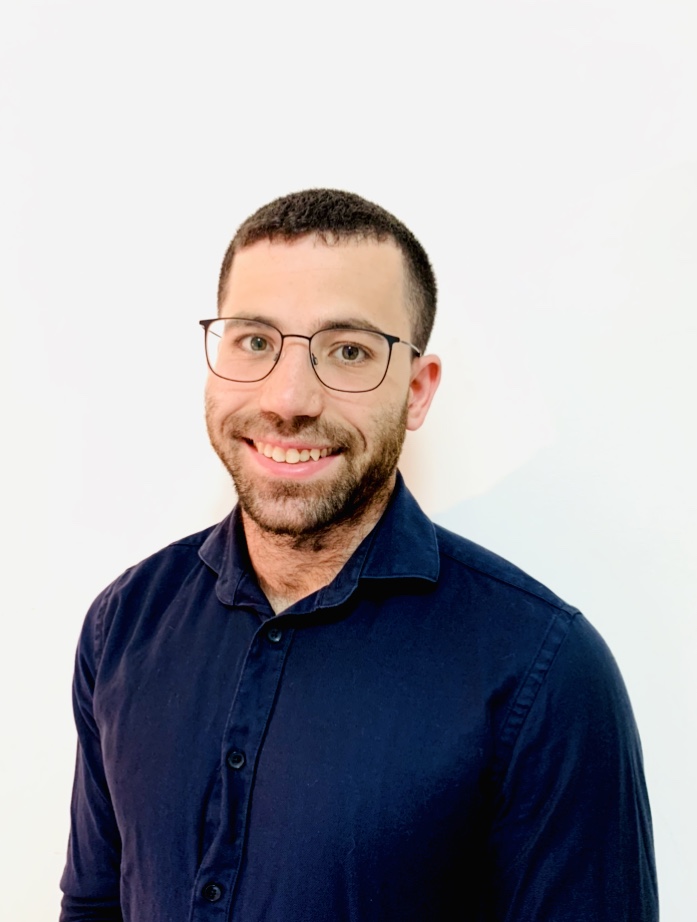
Head of Graphic Designer Program
Ynon tem ampla experiência e conhecimento em animação computadorizada, gráficos, UX e design de jogos.
Profissional autodidata e educador apaixonado, Ynon tem capacitado mentes criativas no Holon Institute of Technology, no Israeli Animation and Design College (IAC), no Shenkar College, no Avni Institute e no John Bryce - todas as principais instituições de treinamento em Israel, a nação das startups.
Ynon também é proprietário e gerente de uma empresa de design gráfico e web design.
Medimos o sucesso pela empregabilidade
Para nós, o treinamento técnico não é o objetivo final - é apenas o começo. Na Wawiwa, medimos o sucesso pela empregabilidade de nossos formandos. Nossos programas são criados com esse objetivo em mente: treinar os alunos para que estejam prontos para o trabalho e ajudá-los a conseguir um emprego lucrativo na área de tecnologia após a formatura.
Esse foco na empregabilidade produz resultados em todo o mundo. mais de 70% dos formandos da Wawiwa conseguem um emprego na área de tecnologia em até dois meses após a formatura.
Currículo do programa
- Overview of Graphic Design
- Definition and History
- Graphic Design vs. Art
- Role of a Graphic Designer
- Graphics and Art history
- Overview of Software and Tools in Digital Graphic Design
- Gestalt Principles of Design
- What are the Gestalt Principles of Design?
- Understanding Why Gestalt Theory is Important
- Examples
- Interface
- Artboards, Windows, Panels, and Workspaces
- Vector Graphics and Pixel Graphics
- File Types and Differences
- Basic Vector Objects (Anchor Point, Path, Stroke, and Fill)
- Basic Tools
- Shape Tool
- Pen Tool
- Selection Tools
- Direct Selection Tool
- Layers
- Exporting
- Basic Shapes and Objects
- Object Hierarchy: Groups, Compound Path, Fill Rule
- Attributes Window, Pathfinder, Shape Builder
- Advanced Shapes and Objects
- Blend, Expand, Warp, and Free Transform
- Appearance and Selection Tools
- Typography Fundamentals
- Importance and Historical Context of Typography
- Anatomy and Properties
- Text Tools and Formatting (Text field vs. Text box)
- Creating Outlines
- Fonts and Typeface Selection and Pairing
- Typography and Illustrator
- Ligatures, Knife Tool, and Live Paint
- Alignment and Creating Typographic Designs
- Advanced Tools
- Perspective, Perspective Grid, 3D Tools, Isometric Drawing
- Gradients, Gradient Mesh, Image Trace
- Effects, Expand Appearance, Rasterize
- Color
- Color Models: Additive vs. Subtractive Colors
- Understanding the Color Picker Window (HSB Model), Harmony Rules, Color Guide, Working with Color Palettes, Recolor Artwork
- Logo and Icon Design Basics
- Principles of Effective Logo and Icon Design
- Golden Ratio and Creating a Logo using the Golden Ratio
- Mini Project: Illustrator Presentation
- Introduction to Photoshop
- Tools and Panels
- Selection and Mask Types
- Layer Management
- Image Editing and Manipulation
- Vector Smart Objects
- Layer Masks
- Clipping Masks
- Select and Mask Feature
- Smart Objects
- Adjustments
- Basic Brushes
- Clone Stamp Tool
- Generative Fill
- Content-Aware Fill
- Adjustment Layers
- Filters
- Color Correction and Enhancement
- Adjustment Layers
- Groups
- Transform and Warp
- Blend Modes
- Creating a simple Mockup
- Vector Smart objects
- What is Image Retouching?
- Liquify Filter
- Healing Tools
- Burn & Dodge Tools
- Apply Image Feature
- Frequency Separation
- Advanced Non-Destructive Techniques
- Image Editing and Manipulation
- Gradients
- Patterns
- Layer Styles
- Vectors in Photoshop
- Type tools
- Vector Tools
- Composition
- What is Composition?
- Principles of Composition
- Common Composition Types
- Visual Hierarchy
- What is Visual Hierarchy?
- Elements in Creating Hierarchy
- Techniques for Creating Hierarchy
- Advanced Techniques
- Perspective Warp
- Creating Box Mockup
- Converting an Image to Retro Print Poster
- Converting an Image to a Shepard Fairey Style Poster.
- Color Channels
- Image Compositing with Color Channels
- Applying Filters to Individual Channels
- Creating Realistic Water Reflection
- Mini Project: Photoshop Presentation
Features an introduction to Adobe Firefly within Adobe Creative Cloud, exploration of MidJourney, ChatGTP & DALL-E 3 for Design Concept Generation.
- How AI changes Graphic Design
- What is Generative AI and Creating Visuals using AI
- Output examples of several AI tools
- AI for Inspiration
- AI for Creation
- AI for Enhancement and Productivity
- From Gen AI to Design on Adobe
- Hands-on experience with AI tools relevant to the profession
- Logo creation and vectoring in Illustrator
- Photo creation and fixing on Photoshop
- Mini Project on AI Tools
- Introduction to InDesign Interface
- Tools and Panels
- Graphic and Text frames
- Placing Images
- Text wrap
- File Management
- Layout and Composition
- Grid Systems
- Page Organization
- Global Design
- Parent Pages
- Advanced Typography Features
- Paragraph Style
- Character Styles
- Working with DocX
- Text Frame Options
- Object Style
- Dynamic Table of Content
- Page Numbering
- Anchored Objects
- Inline Images
- Tabelas
- Table Styles
- Cell Styles
- Designing a Calendar
- Managing Multi-Page Products
- Consolidating Documents to Single Book
- Syncing Styles
- Interactive Tools
- Animations
- Transitions
- Advanced Layouts
- Alternative Layouts
- Creating Unique Spreads
- Convert to Print and PDF Processes
- Understanding File Formats
- Preparing Files for Print
- Mini Project on InDesign Fundamentals
- Career Orientation
- Market Career Opportunities
- Interview Preparation
- Creating a CV
- Job Offers
- CV, LinkedIn Profile
- Interview Preparation
- Personal Portfolio Development
- Tips for effectively presenting designs and projects
Students will create a complete branding package for a hypothetical or real company. This includes designing a logo, business cards, stationery, website images, social media images, and other relevant branding materials.
This final project allows students to demonstrate their comprehensive skills and provides them with a substantial portfolio piece that showcases their ability to handle a real-world graphic design project from start to finish.
Oportunidades de certificação do setor
After completing Wawiwa’s Digital Graphic Designer Program, students may pursue additional certifications that it helps prepare for.
Observação: Uma certificação do setor não é oferecida nem garantida como parte do programa.
Become an Adobe Certified Professional (ACP) in Visual Design using Adobe Photoshop.
ACP exams require validated proficiency under timed conditions, with tasks that test efficiency and use of shortcuts.
Become an Adobe Certified Professional in Graphic Design & Illustration using Adobe Illustrator. Additional study may be needed in advanced vector techniques, asset management, and cross-application workflows.
Become an Adobe Certified Professional in Print & Digital Media Publication using Adobe InDesign. Additional study may be needed in layout automation, long-document handling, prepress, and accessibility standards.
O que os alunos têm a dizer?
Leia nossos blogs...

Um dia na vida de um designer gráfico digital
What does a day in the life of a digital graphic designer look like? How does AI change the playing field? From sketching initial concepts to creating engaging visuals, this blog explores the tasks that fill their day, the challenges